Design
SDN — UX for next-generation software-defined networking
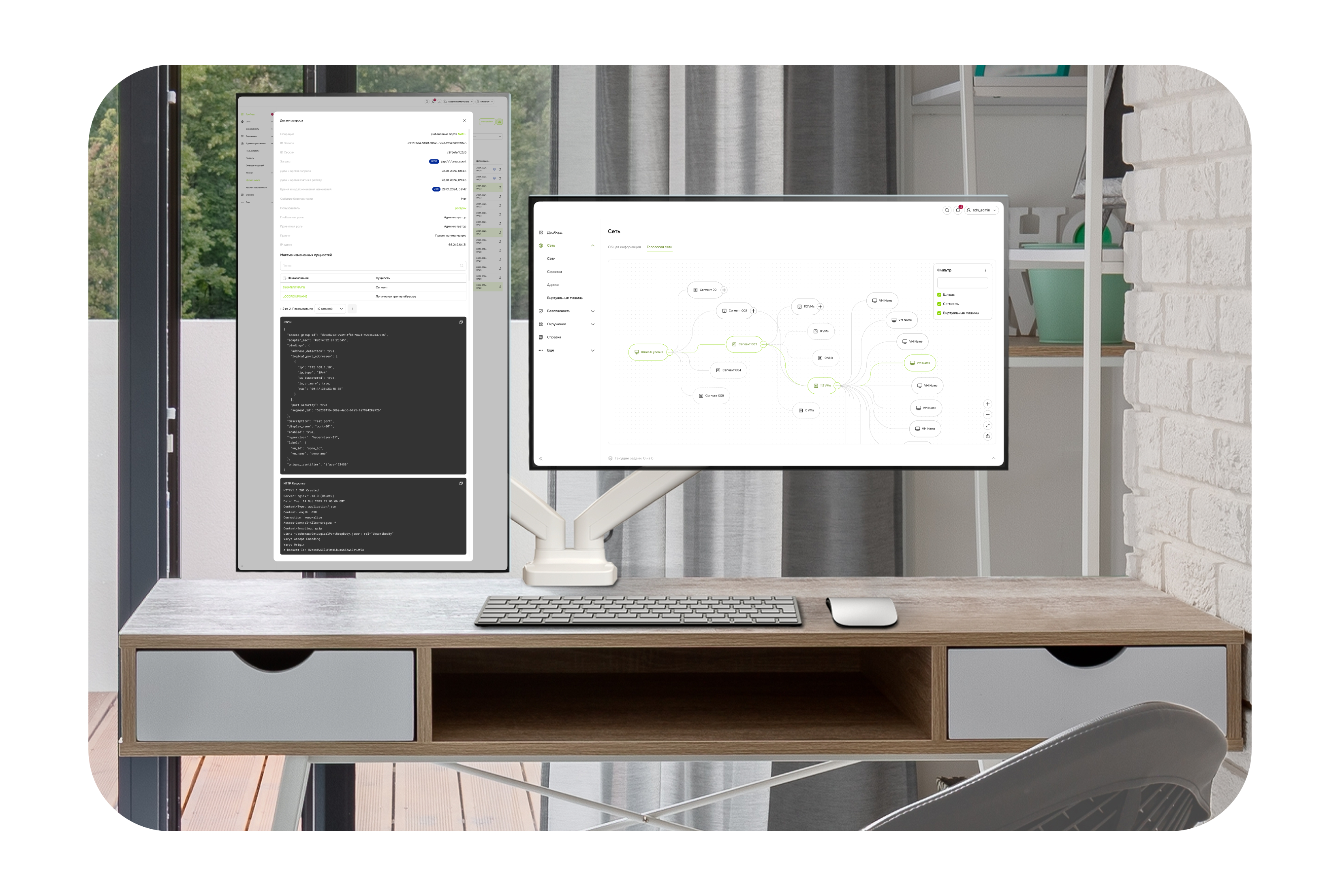
UX design for a software-defined networking (SDN) management platform. Visual topology monitoring, security policy manager, and step-by-step workflows for complex admin scenarios. Focus on reducing cognitive load, preventing configuration errors, and accelerating network engineers in enterprise environments.
Problems
- Difficulty visualizing network infrastructure — administrators work with many parameters and statuses, but without a clear interface they get lost in topologies and segmentation rules. Cognitive load needed to be reduced.
- Lack of consistent UX patterns for complex management scenarios — multi-tenancy and multi-level permissions create confusing action flows without a clear UX framework.
- Difficulties with security control and policy configuration — creating security rules and managing roles remain complex and technically opaque tasks for mid-level users.
Solutions
- Interactive network dashboard — visualize SDN topologies as draggable/zoomable graphs with segment colors, node statuses and access levels; filters by VLAN, multi-tenancy and IPv4/IPv6 for quick segment analysis. Makes centralized control clear and immediate for the user.
- Contextual workflow panels and step wizards — UI wizards for complex scenarios (route setup, security rules, segmentation) with step-by-step hints; inline help explains terms (multi-tenancy, microsegmentation, access roles) directly in the interface. Addresses task "technicality" and lowers the barrier for new administrators.
- UI-oriented security policy manager — table interface with drag-and-drop for access rules and dynamic statuses (active/pending/conflict); interactive access validation with visual hints for why a rule conflicts or overlaps. Makes complex network control more predictable and understandable without documentation.
Results
- 40% reduction in configuration errors — thanks to visual topologies and immediate feedback on conflicting routes/policy rules.
- Faster administration workflows — step-by-step UI wizards allow creating complex scenarios and security policies up to 50% faster.
- Higher product adoption — clear UX patterns (dashboards, wizards, visual rules) increase satisfaction and lower the required network engineering expertise for new users.